What is Wapitick?
Wapitickis a workspace for businesses that take customer conversations, intake, booking, commerce, and support on WhatsApp seriously. It is built directly on the official WhatsApp Business Platform, so it inherits Meta’s delivery, security, and pricing model. What it adds is the team, automation, and reporting layer that a personal phone app cannot provide: a shared inbox with assignments and notes, a visual WhatsApp Flows builder for structured intake and booking, a broadcast and template campaign module, contact and CRM records that persist across conversations, an automation engine triggered by webhook events, an invoice and payment workflow, and a real-time analytics layer that shows what is actually working.
The product is designed around the way real businesses run on WhatsApp, not around the lowest-common-denominator of messaging features. A clinic booking appointments, an ecommerce brand sending order updates, a real-estate team qualifying leads, and a school chasing fee payments all use the same channel, and they all need the same shape of workspace: one place where the conversation, the customer record, the structured intake, the payment step, and the follow-up campaign live next to each other.
Who Wapitick is for
Wapitick is for small and mid-sized businesses that have outgrown using WhatsApp on a personal phone, and for agencies and enterprises that run multiple WhatsApp channels. The most common adoption pattern is a team of three to fifty people who have already proven that customers want to talk on WhatsApp, and who now need a workspace that supports that channel with the same rigor as email, phone, or web.
Within those businesses, the operators who get the most value out of Wapitick are: support leads who need to keep response quality high as volume grows; sales and growth managers who want lead qualification and re-engagement without paying per-message tax for every step; operations managers who need an audit trail, retention rules, and reporting; and founder-operators who are tired of holding the WhatsApp channel together with a personal phone and a spreadsheet.
The use cases covered in detail on the use cases page — customer support, lead conversion, campaign operations, and back-office execution — are the most common patterns, but the product is intentionally flexible. Most teams combine two or three of them, and the workspace is designed to support that combination rather than force teams into a single track.
How the pieces fit together
The advantage of running WhatsApp work in one workspace is that the parts are designed to talk to each other. The shared inbox is more useful because the contact record next to it shows what the customer already submitted in a Flow. The Flow builder is more useful because the result is routed back to the right person in the inbox. The automation engine is more useful because failed steps leave visible traces instead of silent gaps. The broadcast module is more useful because the suppression rules can read the same contact properties that the inbox and the Flow builder use. The analytics layer is more useful because it is tracking the same conversations that the team is reading.
That integration is also the reason Wapitick tends to be cheaper to operate than a stack of separate tools. The integration cost of stitching a standalone inbox, a standalone campaign tool, a standalone CRM, a standalone Flow builder, and a standalone payment link generator together usually shows up later, in missed context, duplicate data entry, or workflows that quietly stop working when one of the tools changes. Wapitick collapses that surface area into a single product, owned by a single team, on a single bill.
A short tour of the product
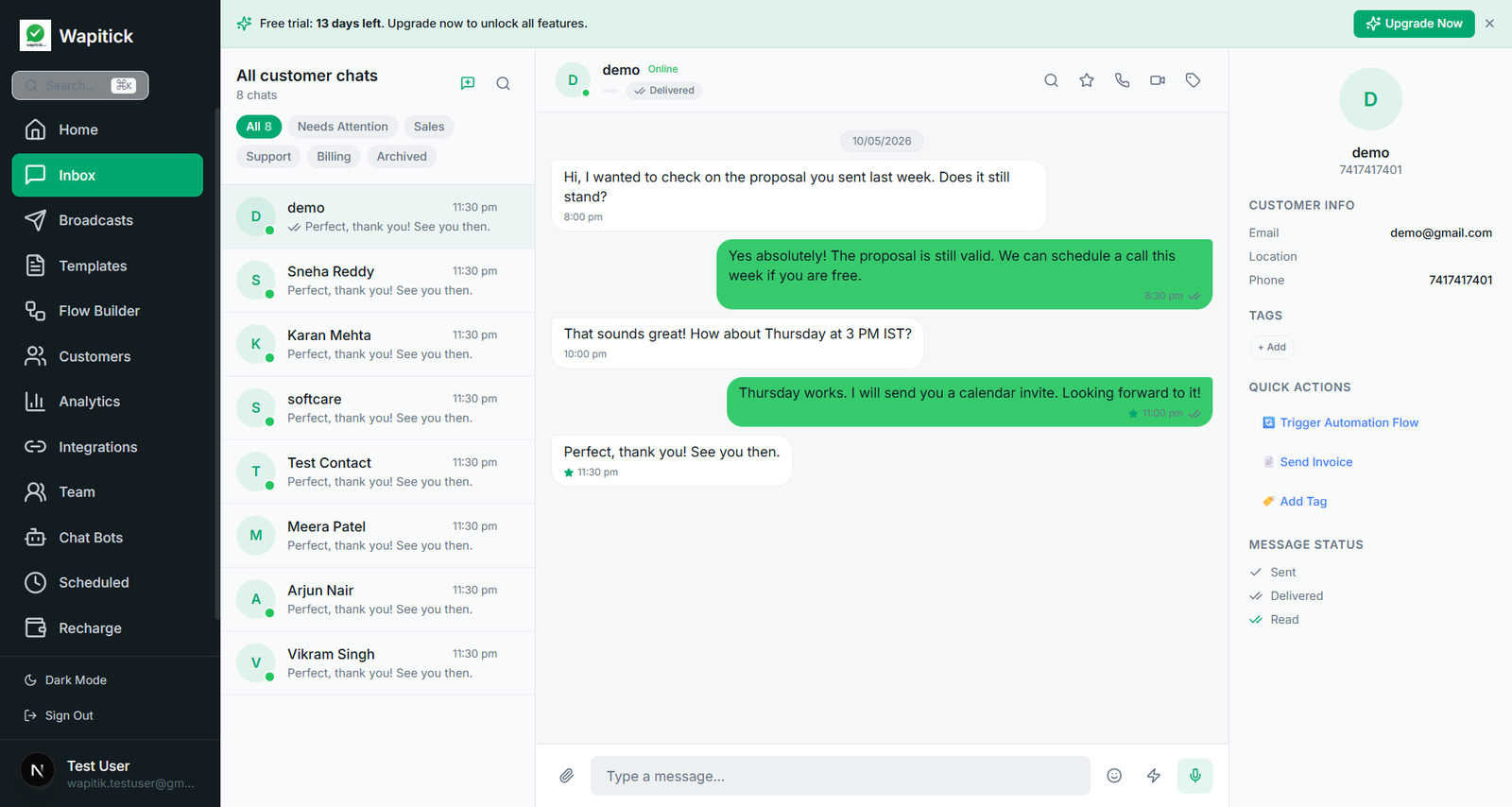
The shared inbox is the front door. Conversations from every WhatsApp number connected to the workspace land in one place, sorted by status and assignee. Teammates can claim a conversation, leave a private note, add an internal tag, or hand it off to another team. The full history of a contact — every past conversation, every Flow submission, every payment, every campaign they have received — is visible from the same panel.
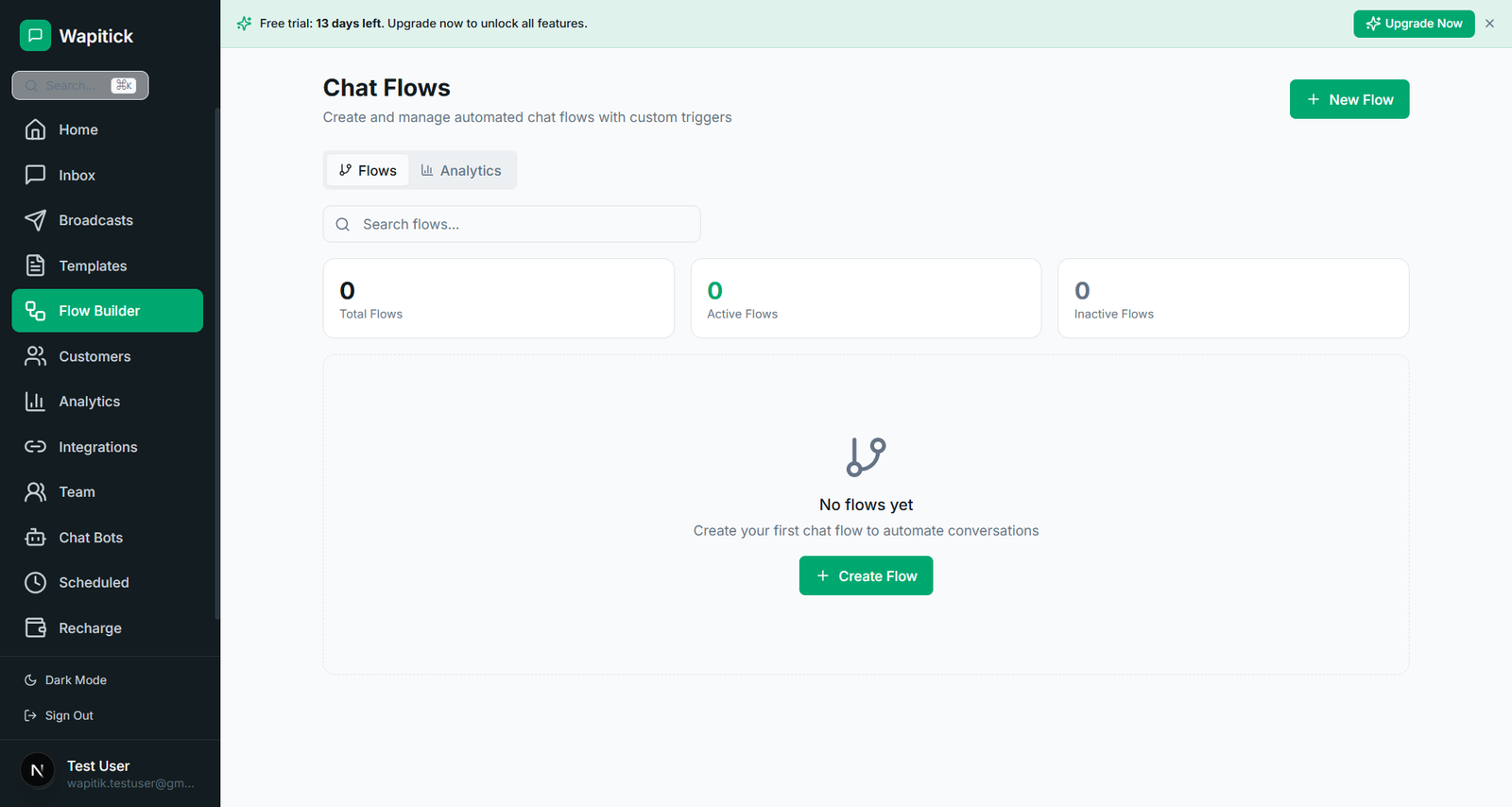
The Flow builder lets non-developers design structured customer journeys: appointment booking, lead qualification, support triage, document collection, payment intent, service renewal, or any combination of these. Static Flows are useful for simple intake; endpoint-backed Flows allow the journey to react to live inventory, service availability, eligibility rules, or existing customer state.
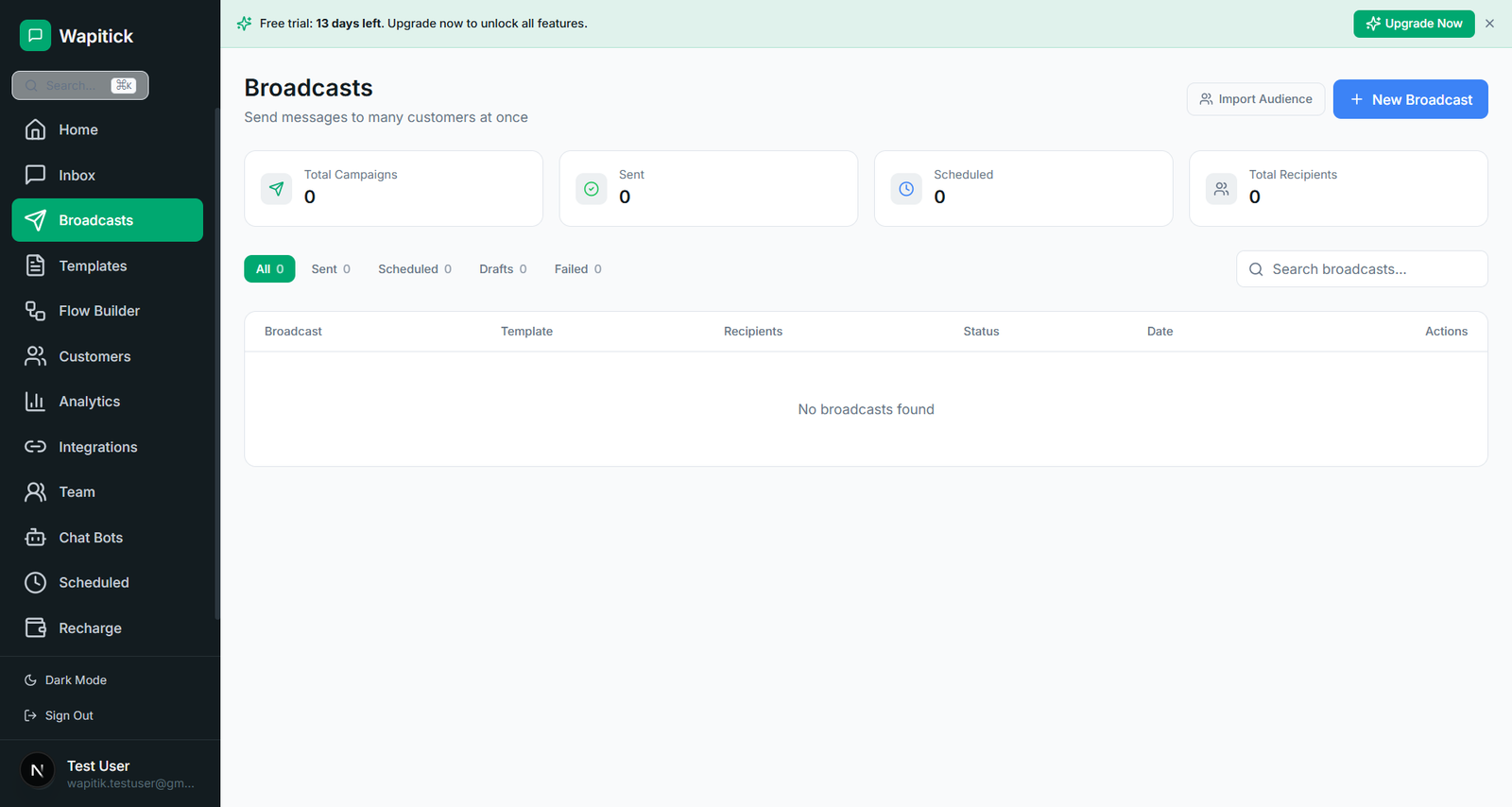
The broadcast moduleis built on WhatsApp’s template system. Templates go through Meta’s standard approval flow, and Wapitick tracks approval status, audience filtering, suppression rules, A/B variants, scheduling, and per-segment delivery analytics. The point of the module is to make compliant outbound WhatsApp messaging as straightforward as email marketing, without giving up on consent, opt-out, and audit-trail discipline.
The automation engine handles the work that should not require a human: routing conversations by intent, tagging contacts based on Flow submissions, sending follow-up campaigns after an event, syncing data to external systems, retrying failed webhook calls, and alerting the team when something needs attention. Automations are observable, so an operator can see what fired, what it did, and what to do if it failed.
The contact and CRM layertreats each WhatsApp number as a customer record with a full timeline. The record pulls in data from conversations, Flows, broadcasts, payments, and external integrations, so a teammate never has to ask “what do we know about this customer?” in three different tools.
The billing and commerce module covers invoices, payment requests, and reconciliation. A team can send an invoice to a customer on WhatsApp, take payment through Stripe or another supported provider, and have the receipt and the conversation both attached to the same contact record. This is the piece that turns WhatsApp from a communication channel into a revenue channel for many of the businesses that use Wapitick.
Comparison: Wapitick vs. a personal WhatsApp Business app
The free WhatsApp Business app is a useful entry point for a single operator, but it does not scale to a team. Wapitick is designed for the next step: multiple teammates working the same channel, multiple WhatsApp numbers under one workspace, structured intake through Flows, campaigns to opted-in audiences, automations that close the loop, and reporting that shows the channel’s contribution to revenue and retention.
Concretely, the differences show up in the following places. On the inbox side, Wapitick supports assignments, internal notes, status workflows, and full conversation history per contact; the personal app shows a single chronological list per device. On the broadcast side, Wapitick supports template approval tracking, audience segmentation, suppression rules, and delivery analytics; the personal app is limited to broadcast lists with no approval workflow and no analytics. On the automation side, Wapitick supports webhook-driven automations, retry logic, and audit trails; the personal app offers no automation surface at all.
None of this is a criticism of the free app. It is the right tool for what it is. Wapitick picks up the moment a business needs more from the channel than a single phone can provide.
Comparison: Wapitick vs. stitching point tools together
Most Wapitick customers arrived after trying to run WhatsApp on a stack of point tools: a shared inbox in one product, a campaign tool in another, a CRM somewhere else, a Flow builder on a separate vendor, and a payment link generator on the side. The stack usually works for a month or two. Then context starts leaking, integrations drift, and someone on the team ends up reconciling six systems by hand.
Wapitick’s design choice is to keep all of that in one workspace, on one bill, with one audit trail. The trade-off is that some features are not as deep as the specialist tool in any one area. The benefit is that the whole system holds together under load. For most small and mid-sized businesses, that trade is the right one. The full comparison against specific point tools is on the best WhatsApp CRM for small businesses post.
Pricing and plans
Wapitick has three plans: Starter at $29/month for teams that need a shared inbox and the basics; Growth at $99/month for teams that want broadcasts, WhatsApp Flows, automations, and integrations; and Scale at $299/month for teams that need endpoint-backed Flows, advanced role permissions, and custom reporting. Enterprise pricing is available for procurement-grade contracts, custom integrations, and regional data residency commitments. All plans include a 14-day free trial, and you can switch plans without losing contacts, conversations, or Flows. Full pricing is on the pricing page.
It is worth noting that Wapitick’s plan price is the only line item from us. Meta charges per-conversation for messages sent through the WhatsApp Business Platform, and that pricing is set by Meta and varies by recipient country, conversation category, and volume profile. Your Meta bills stay on Meta’s pricing, exactly as they would on any other platform built on the same API.
Onboarding and migration
Most teams complete initial onboarding in under a day. The embedded signup flow walks through connecting an existing WhatsApp Business account or requesting API access, importing contacts from a CSV or a connected CRM, inviting teammates, and configuring a first inbox workflow. Templates and Flows can be drafted on day one and submitted to Meta for approval; most utility templates are approved within minutes, while marketing and authentication templates follow Meta’s standard review queue.
Migration from a personal WhatsApp Business app, from a competitor platform, or from a stitched-together stack is supported through the embedded signup flow and a contact import step. Existing conversations remain on the customer’s phone, but the contact record, the conversation history going forward, the templates, and the Flows all move into Wapitick. The full step-by-step guide is on the embedded signup and migration post.
Security, privacy, and data residency
Wapitick transmits data over TLS, stores it encrypted at rest, scopes it per workspace, and supports role-based access control with a full audit trail. Conversation data is never shared across workspaces, and exports are limited to operators with the appropriate role. Enterprise plans add data residency commitments, custom retention windows, and a procurement-grade security review. The full security posture and the data-processing agreement are linked from the privacy page and the terms.
Where to go next
The features page walks through every component of the product in detail, with screenshots and the kind of decisions that show up in real implementations. The use cases page shows the four patterns most teams use Wapitick for, with examples drawn from real workflows. The pricing page lists the plans, the comparison table, and the per-plan inclusions. The docs page is the reference for setup, inbox workflows, templates, Flows, broadcasts, automations, integrations, billing, reporting, permissions, and troubleshooting. The blog collects longer-form guidance on operationalising WhatsApp as a business channel, with patterns drawn from support, sales, ecommerce, services, and education.
The 6 feature areas and 4 use cases covered on this site are written for the operator. If something in your workflow does not fit a documented pattern, the support team and the community are reachable from the docs page, and the product roadmap is open to feedback from paying customers.